
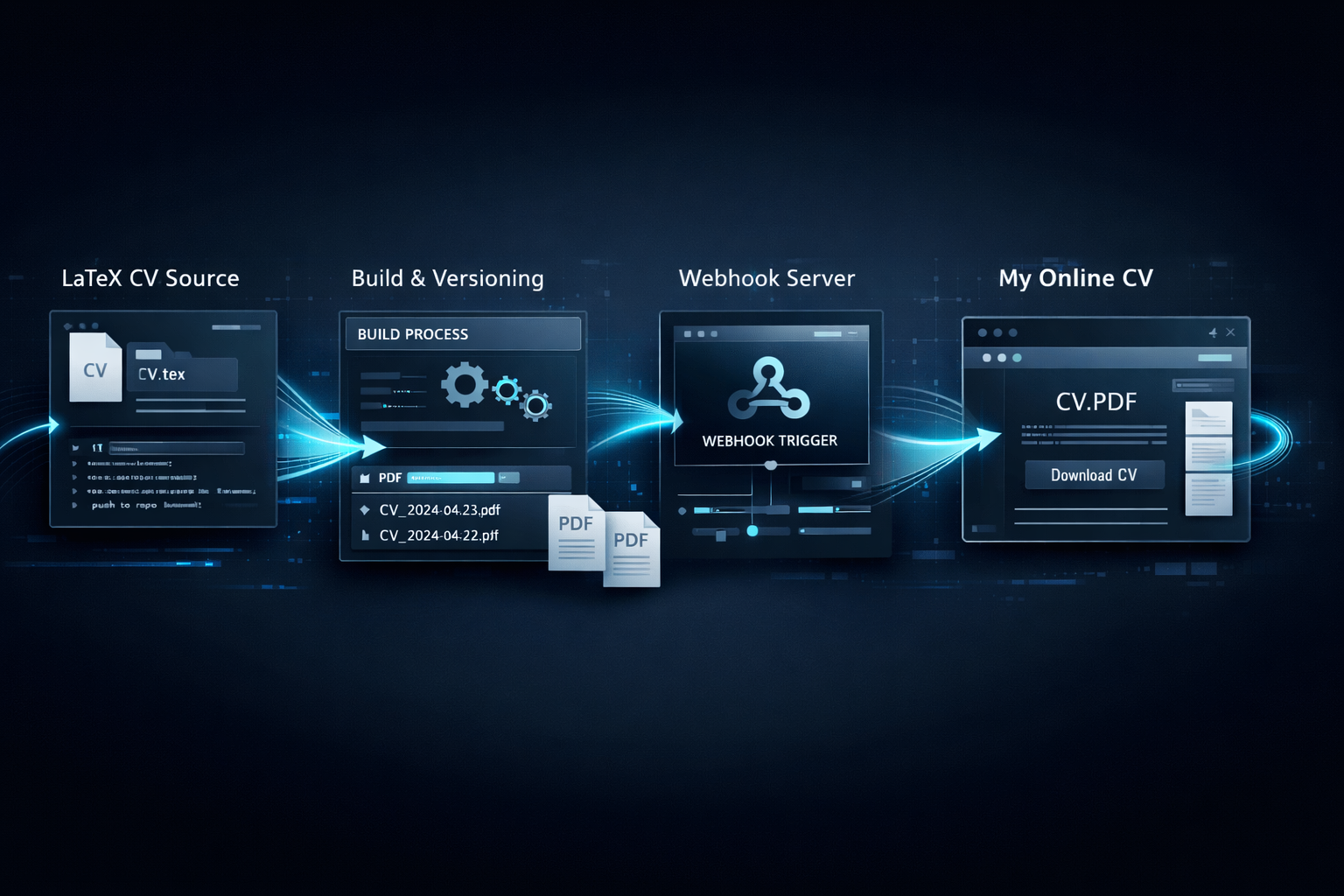
Intro
I keep my CV in a dedicated GitHub repository and publish it in two ways:
- A webhook server updates the hosted CV file path used by Nginx.
- My personal site repo pulls the latest CV into
public/cv.pdfusing GitHub Actions.
The goal is simple: I update CV source once, and the published PDF stays current without manual file copying.
Flow Diagram
               (A) Build Source of Truth
+--------------------------------------------------+
| Repo: giraycoskun/cv                            |
| - Edit LaTeX (cv_data.tex, cv_base.tex, etc.)   |
| - Run: make all                                 |
| - Output: cv_long_YYYY-MM-DD.pdf                |
+-------------------------+------------------------+
                          |
                          v
            +-------------+--------------+
            | GitHub push to cv/main     |
            +-------------+--------------+
                          |
         +----------------+----------------+
         |                                 |
         v                                 v
 (B) Webhook Server Path             (C) Personal Site Sync Path
+-------------------------------+     +------------------------------------+
| webhook-server/scripts/cv.sh  |     | .github/workflows/update-cv.yml    |
| - find latest dated cv_long   |     | - schedule + manual dispatch        |
| - download + validate PDF     |     | - fetch latest dated cv_long        |
| - update symlink              |     | - download to public/cv.pdf         |
|   /media/images/cv.pdf ->     |     | - commit only if changed            |
|   /media/images/cv/pdf/*      |     +------------------+-----------------+
+---------------+---------------+                        |
                |                                        v
                v                           +------------+------------------+
   +------------+-------------------+       | Repo: giraycoskun-com         |
   | Nginx serves stable cv.pdf     |       | Updated public/cv.pdf         |
   +------------+-------------------+       +------------+------------------+
                |                                        |
                v                                        v
       CV available at:                         CV available at:
    https://cv.giraycoskun.dev              https://giraycoskun.com/cv.pdf
Repositories and Components
- CV source repo: giraycoskun/cv
- Webhook script:
webhook-server/scripts/cv.sh - Personal site: giraycoskun-com
- Site sync workflow:
.github/workflows/update-cv.yml
I use date-stamped files like cv_long_2026-03-04.pdf and keep a stable public path cv.pdf.
Step 1: Build CV Variants in the CV Repo
The CV repo contains four LaTeX variants:
cv_short.texcv_long.texcv_short_photo.texcv_long_photo.tex
Build is handled by Makefile:
make allThis generates:
cv_short_YYYY-MM-DD.pdfcv_long_YYYY-MM-DD.pdfcv_short_photo_YYYY-MM-DD.pdfcv_long_photo_YYYY-MM-DD.pdf
The Makefile also prunes old generated PDFs, which keeps the repo clean and makes “latest file” detection deterministic.
Step 2: Webhook Server Updates Hosted CV
For my self-hosted path, I run a webhook server that executes scripts/cv.sh when my CV repo is updated.
The script does this:
- Queries GitHub API tree for the CV repo branch.
- Finds the latest
cv_long_YYYY-MM-DD.pdf. - Downloads it to a storage folder (if not already present).
- Verifies it is a PDF (
%PDF-header check). - Updates a stable symlink used by Nginx.
Core idea from the script:
latest_file="$(
  printf '%s' "${tree_json}" \
    | grep -Eo '"path"[[:space:]]*:[[:space:]]*"cv_long_[0-9]{4}-[0-9]{2}-[0-9]{2}\.pdf"' \
    | sed -E 's/^"path"[[:space:]]*:[[:space:]]*"([^"]*)"$/\1/' \
    | sort \
    | tail -n 1 || true
)"
And then:
ln -sfn "${target_file}" "${SERVE_FILE}"In my setup:
CV_STORE_DIRdefaults to/media/images/cv/pdfSERVE_FILEdefaults to/media/images/cv.pdf
Nginx serves the stable file path while the symlink points to the latest dated PDF.
Step 3: GitHub Actions Syncs CV Into My Personal Site
I also keep public/cv.pdf inside my personal site repo so /cv.pdf always works directly from the static site.
The workflow in .github/workflows/update-cv.yml:
- runs daily (
cron: "0 6 * * *") - also supports manual runs (
workflow_dispatch) - fetches latest dated CV filename from
giraycoskun/cv - downloads it to
public/cv.pdf - commits only if file content changed
The fetch step:
latest="$(
  curl -fsSL https://api.github.com/repos/giraycoskun/cv/contents \
    | jq -r '.[].name' \
    | grep -E '^cv_long_[0-9]{4}-[0-9]{2}-[0-9]{2}\.pdf$' \
    | sort \
    | tail -n 1
)"
The update step:
curl -fsSL "https://raw.githubusercontent.com/giraycoskun/cv/main/${latest}" -o public/cv.pdfThen it commits with github-actions[bot] if git diff detects changes.
Why I Use Both Paths
- Webhook server path is near real-time after a repo update and works well with my self-hosted Nginx setup.
- GitHub Actions path keeps my portfolio repo self-contained and deploy-friendly for static hosting at Cloudflare Pages.
Both use the same source of truth: date-stamped PDF artifacts from the CV repo.
Operational Notes
- The workflow cron is in UTC, so local execution time changes with daylight saving.
- Scheduled GitHub Actions are best effort; manual dispatch is useful when I need immediate sync.
- If the CV repo becomes private, both webhook script and workflow can use
GITHUB_TOKEN. - Keeping a stable public path (
cv.pdf) avoids broken links on my portfolio and external references.
Minimal End-to-End Flow
- Update LaTeX files in
giraycoskun/cv. - Run
make all. - Commit and push generated date-stamped PDFs.
- Webhook server updates hosted symlinked
cv.pdf. - Site workflow syncs
public/cv.pdfand commits the update.
This gives me reproducible CV builds and automated publishing with very little manual work.